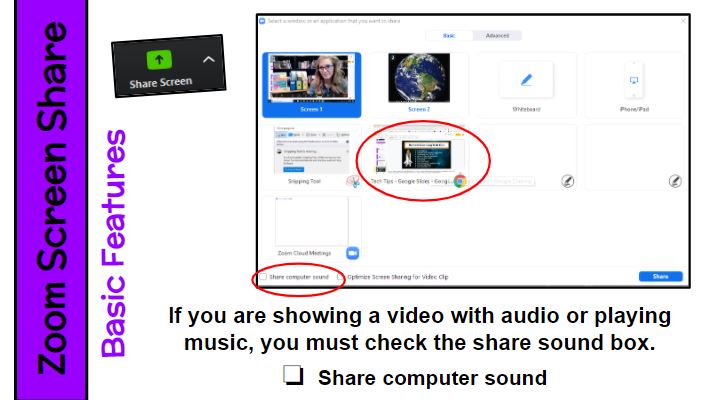
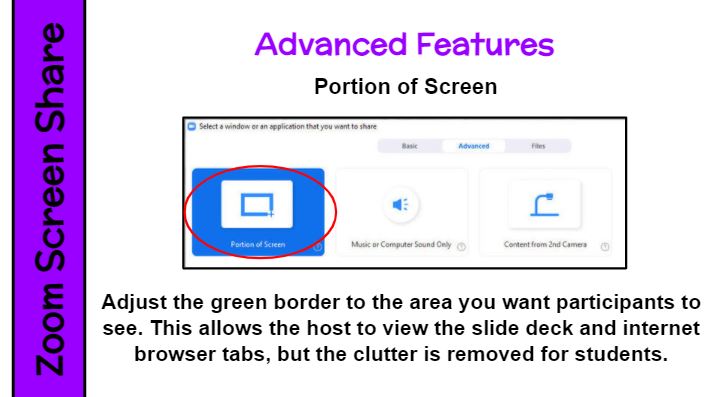
There are a couple of great tips for using screen share in Zoom. First, if you are showing a video with audio or playing music, you must check the “Share Computer Sound” box. Second, check out the “Advanced Features” tab. Click on the “Portion of Screen” option. An adjustable green box will appear. Resize it to include just the area you want participants to see. This allows the host to view the slide deck and internet browser tabs, but the clutter is removed for students. I use this feature every time I share my screen. Every. Time.
- Comment
- Reblog
-
Subscribe
Subscribed
Already have a WordPress.com account? Log in now.
 Kristen Foley