Link the site http://online-stopwatch.com to your presentation pages (or bookmark) for quick access to timers. If you want students to focus on work or step away from the screen to take a break, use the less exciting ones. I have used this resources for many, many years. What a great visual for students to manage their work time. Be sure to check your volume level in advance so you don’t scare the pants off of the kids!
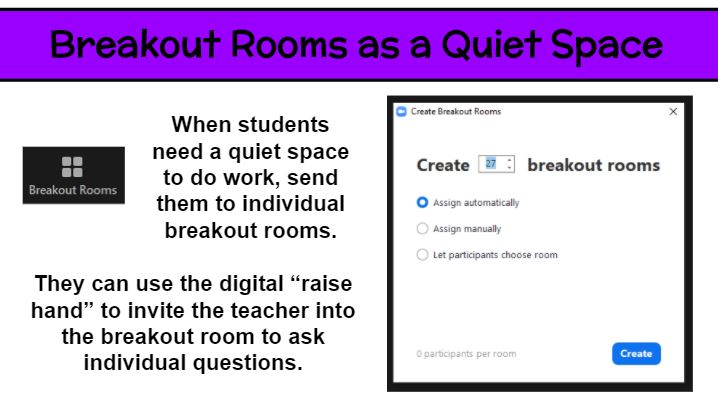
Breakout rooms are great for small group discussions. But what about using them for individual students. A large whole-class virutal meeting is never truly silent and free from distraction. So how can students spend time reading or thinking in that setting? Why not put each student in an individual breakout room for that 5-20 minutes of time? Then everyone can read to self, practice fact fluency, watch a video (hopefully without streaming issues), and the like. Of course, it is important for for students to be supervised at home or generally responsible. As the teacher, you can pop into each breakout room to check in on kids and have individual conferences. Keep them on their toes by not saying ahead of time which kids you will meet with. If a student needs help or has a question while in the solo setting, he/she can use the digital “raise hand” feature to summon the teacher.
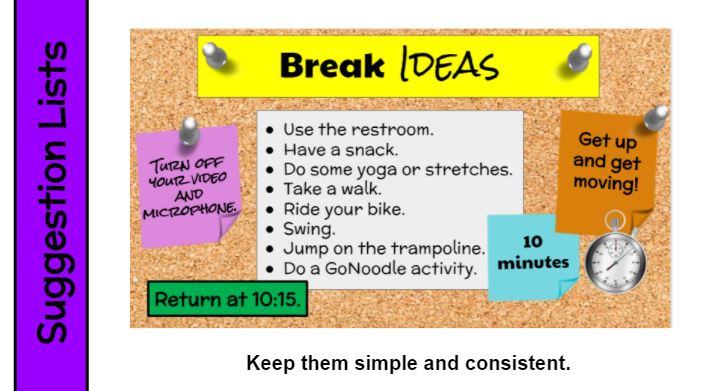
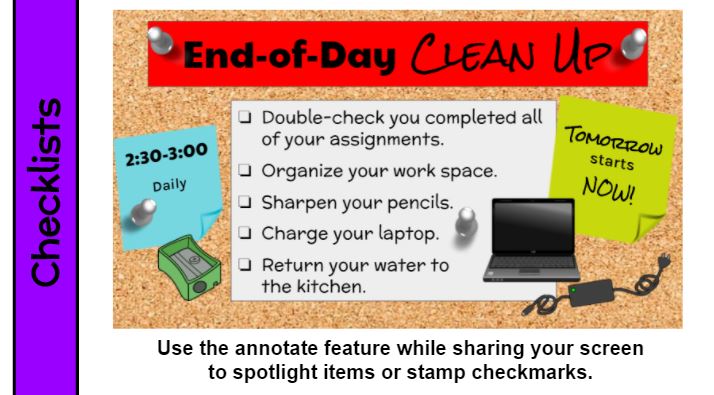
What to do before/after class or during breaks must be directly taught and reinforced daily. If there are options, include a list with the most important at the top. You can also divide a checklist into MUST DO and MAY DO categories. Whether your list is a bulleted (options) or consists of check boxes (required tasks), be sure to include the time frame (10 minutes, 2:30-3:00, return at 10:15) as well as other expectations. Keep it simple. Keep it consistent. Review often if not daily.
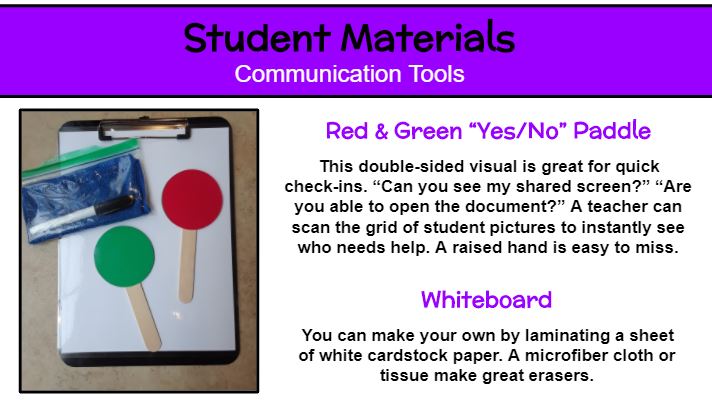
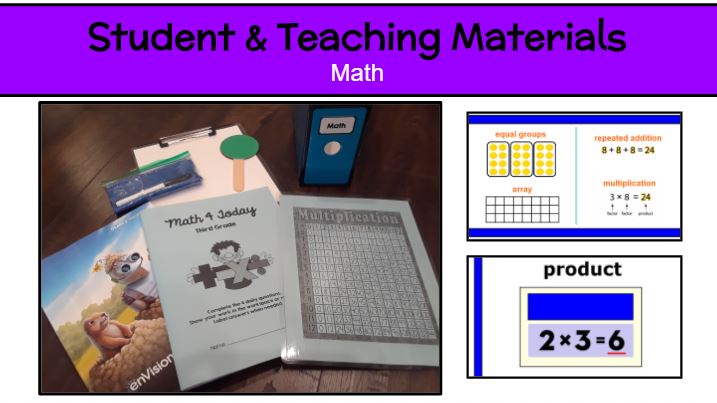
Communication Paddles During your remote lessons, do you find it’s difficult to know if a student is volunteering. A raised hand is easy to miss. Avoid the confusion and wasted time by creating two-sided red/green communication paddles for each student. I laminated red and green cardstock circles, taped a jumbo popsicle stick onto one circle, then used a strong tape rolled into cylinders to sandwich on the other circle. Prepping these communication tools in advance will greatly help your students and the flow of your lessons. Be deliberate in using the yes/no paddle. Say, “Paddles ready!” and then ask your yes/no question. Scan your meeting grid to quickly and clearly see responses.
DIY Dry-Erase Boards If you aren’t fortunate enough to have individual dry-erase boards for every student, make your own! It’s as simple as laminating a sheet of white cardstock. I used my personal laminator and thick laminating sheets to create mine. I love the strength and rounded corners. I also included a thin dry-erase marker and microfiber cloth to use as an eraser. Students can place the laminated sheet on the clipboard I provided for extra support if needed.
Teachers often spend their own money on supplies. Whether you are teaching in-person or remotely, it’s likely you will need additional funds to purchase more individual student materials. Sharing in class is not much of an option right now and we can’t assume all students have the necessary at-home learning tools. I wanted all of my students to have exactly what was needed for remote learning, so if it wasn’t provided by the school or local organizations, I sought out other avenues to cover some the cost. Fortunately, I received a generous grant from Thrivent Action Teams. The approval process was quick, and I was able to order everything I still wanted for my class before the start of the year orientation and pick-up. If a grant is hard to come by, consider other methods. I have found creating an Amazon with list, checking with my administrator, asking the parent-teacher organization, soliciting local businesses for donations, and inquiring about educator discounts has paid off in the past.
Organization 101. Is there a college course for teachers on this? Well, there certainly should be. Being organized is the first step to establishing a well-functioning classroom environment. When I learned that we would start the school year with 100% remote learning, I put all of my initial focus on organization.
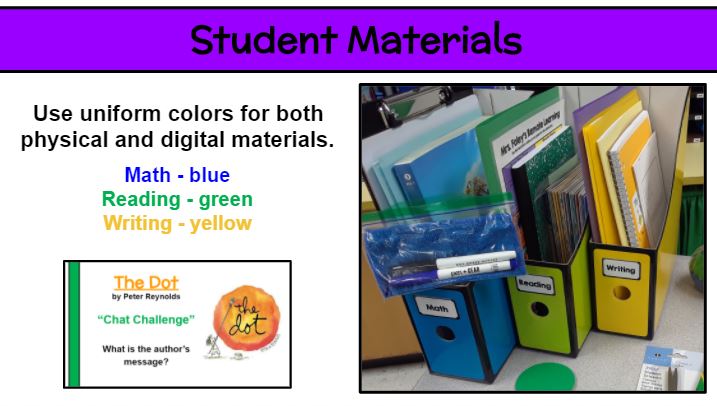
I love to color-code everything! I highly suggest selecting a color for each subject and using it for both physical and digital materials. Choosing uniform colors starts with the supplies you are provided, such as workbooks. Since our math workbook is blue, I made the other math materials that color. Since yellow spiral notebooks were provided as a student supply this year, I made all writing materials yellow. The uniform colors will help kids and families categorize content. Magazine files make great subject totes. Remember to use a splash of these colors on your presentation pages to tie it all together. Check out the at-home classroom I provided each of my students for remote learning (3 subject totes, clipboard, dry-erase board with markers and eraser cloth, workbooks, journals, folders with resources, Scholastic News magazines, books, red/green communication paddle, etc.).
Since every students has identical materials, it makes transitions during lessons smoother. No one has a good excuse for not having the item or knowing what/where it is! “In your green reading tote, find your green reader response journal.” Color-coding has maximized my time-on-task with students.


 Kristen Foley